SurfShark VPN review
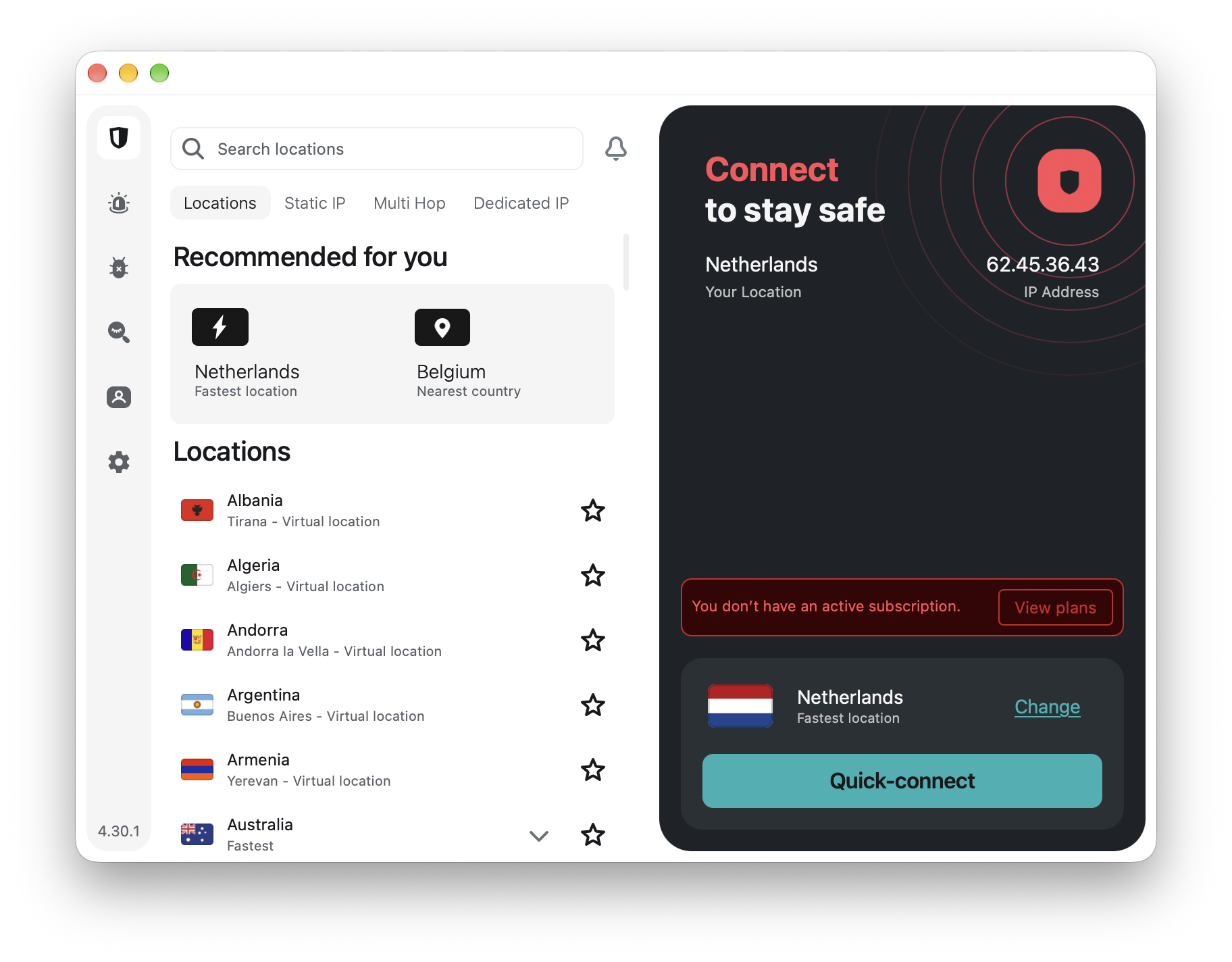
Surfshark VPN Review 2026
Excellent Performance, Plenty of Features, but Read the Privacy Policy
Surfshark VPN has changed considerably since it appeared in 2018. What began as a relatively inexpensive VPN has become a sizeable privacy and cybersecurity platform, with a VPN, antivirus, data-breach monitoring, alternative online identities, ad and tracker blocking, dedicated IP addresses and several increasingly sophisticated networking technologies.
That creates an interesting problem when reviewing it.
It is very easy to produce a long list of Surfshark features and conclude that you get a lot for your money. You do. But a VPN should ultimately be judged on rather less glamorous questions. How fast is it? What exactly does it log? Can the company connect an account to an IP address? Has its no-logs claim actually been tested? How good is its server infrastructure? And what doesn’t Surfshark provide?
I looked more closely at those questions.
The result is a VPN that impresses me considerably — although not without reservations.
The basics
Surfshark currently operates more than 4,500 servers across 100 countries. The network uses RAM-only servers and Surfshark says its servers use at least 10-Gbps ports, with higher-capacity infrastructure in heavily used locations. The 100-country coverage is extensive and includes multiple cities in countries where that makes sense. In the United States, for example, Surfshark operates locations across 19 states.
Not every advertised location necessarily means that the physical server is located in that country. Surfshark also uses virtual locations. A server offering, for example, an IP address from one country can physically be situated in another. There is nothing inherently wrong with this — it is common practice in the VPN industry and can be preferable to installing equipment in countries with unreliable infrastructure — but it is worth understanding what “100 countries” actually means.
Surfshark is refreshingly open about the distinction.
RAM-only infrastructure
Surfshark’s servers operate in RAM rather than relying on conventional persistent storage.
This matters. Information held only in volatile memory disappears when a server is rebooted. It significantly reduces the possibility of historical information remaining on a physical server that could subsequently be seized or examined. RAM-only servers don’t magically guarantee privacy, because information could still theoretically be transmitted elsewhere before the reboot. But combined with a properly implemented no-logs architecture, they are an important security measure. Surfshark’s server configuration and no-logs implementation have also been independently examined, which we’ll return to later.
Protocols: WireGuard, OpenVPN, IKEv2 — and now Dausos
- Surfshark supports the familiar WireGuard, OpenVPN and IKEv2 protocols.
- WireGuard is likely to be the sensible choice for most users because it combines strong security with excellent performance. Surfshark has also added post-quantum protection to WireGuard connections in its applications.
But 2026 brought something much more interesting for Mac users.
Surfshark has developed its own VPN protocol called **Dausos**. Unlike conventional shared VPN tunnel architecture, Dausos creates an individual data tunnel for each connection. It uses AEGIS-256X2 encryption and incorporates post-quantum protection. Surfshark claims Dausos can be up to 30 percent faster than established protocols while using system resources efficiently.
There are two qualifications.
- First, that 30 percent figure is Surfshark’s claim rather than my independently measured result.
- Second, Dausos is currently a beta product and, at the time of this review, is available only in the macOS App Store version of Surfshark. Surfshark itself acknowledges that users may encounter connectivity, stability or feature problems while the protocol remains in beta.
The underlying technology has, however, undergone a 2026 white-box security and cryptographic assessment by Cure53. The audit examined its architecture, control and data channels, cryptographic design, key exchange, session management and forward secrecy.
For a website concentrating on Mac software, Dausos makes Surfshark particularly interesting in 2026.
Speed: genuinely fast, but speed isn’t the whole story
Surfshark is fast. Independent TechRadar laboratory testing over a 10-Gbps test connection measured a median **1,021 Mbps using WireGuard on a nearby server**. Even more impressive was long-distance performance. Connections between Europe and the United States reached approximately **935 Mbps**.
OpenVPN — traditionally considerably slower than WireGuard — achieved around **825 Mbps** in the same testing.
Those are excellent figures. There is, however, an important qualification that disappears from many reviews. TechRadar also measured noticeably higher **latency and jitter** with Surfshark than with some leading competitors — in some tests roughly twice as high. That means raw download throughput tells only part of the story.
If you have a 200, 500 or even 1,000 Mbps fibre connection, Surfshark is unlikely to be your bottleneck under favourable conditions. Downloading large files can be extremely fast. Competitive gaming, remote desktop applications and other latency-sensitive activities can tell a different story. A 900-Mbps connection with poor latency isn’t automatically better than a 600-Mbps connection with excellent latency.
So my assessment is: **exceptional throughput, but not necessarily exceptional latency**.
Nexus changes how the VPN works
One of Surfshark’s more interesting developments is Nexus.
A traditional VPN connects you to a particular VPN server and routes your traffic through it. Surfshark’s Nexus architecture connects servers into a broader network through which traffic can be routed dynamically.
That technology powers several features.
Rotating IP – Rotating IP changes your public VPN IP address approximately every five minutes without disconnecting the VPN. You remain in the same chosen geographical location, but websites don’t continually see the same VPN address. It is a clever additional obstacle to IP-based profiling. It doesn’t make you anonymous. If you’re logged into Google, Amazon or Facebook, changing your IP every five minutes doesn’t make those companies forget who you are. But as another privacy layer it is useful.
Dynamic MultiHo – MultiHop sends your traffic through two VPN servers rather than one.
More importantly, Surfshark lets you create your own entry and exit server combination rather than restricting you to a few predefined routes. There is inevitably a performance penalty when sending traffic through two geographically separate servers, but for people who value separation between the entry and exit points, Dynamic MultiHop is a genuinely useful advanced feature.
FastTrack – FastTrack also uses Nexus but for a different purpose: Surfshark can dynamically select a more efficient route across its server infrastructure. The technology started with a small number of locations and has subsequently expanded considerably for macOS users. This is the sort of feature most people should never have to think about. If Surfshark can find a better route automatically, it should simply do it.
Everlink – Another relatively new Surfshark technology is Everlink. Everlink is designed to repair a failed VPN tunnel automatically instead of simply dropping the connection and establishing an entirely new one. That matters because a momentary VPN failure is exactly when your real IP address could otherwise become exposed.
The Kill Switch remains the final safety net, but preventing or repairing the connection failure in the first place is preferable.
Kill Switch – Surfshark provides two system-level Kill Switch modes. The normal or “soft” mode blocks internet access if the VPN unexpectedly disconnects. The stricter mode prevents internet access whenever Surfshark isn’t connected — including if you manually disconnect it.
I prefer having that choice. Someone using a VPN casually may find strict mode irritating. Someone who requires every connection to pass through the VPN may regard it as essential.
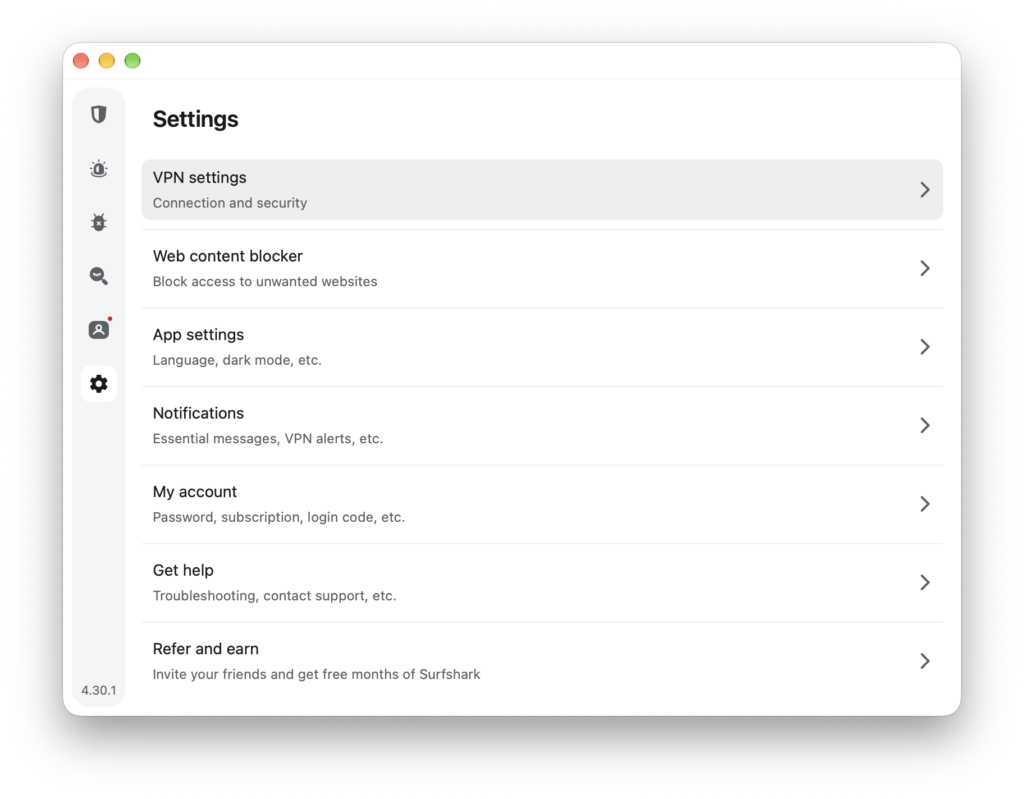
Bypasser — Surfshark calls its split-tunnelling feature Bypasser. You can exclude particular applications or websites from the VPN, while Reverse Bypasser does the opposite: only selected traffic uses the VPN. This is particularly useful when a banking site, local streaming service or other application objects to VPN traffic. Importantly, Bypasser is now available on macOS as well as Windows, Android and iOS. Older Surfshark reviews saying that Mac users don’t have split tunnelling are therefore out of date.
CleanWeb – CleanWeb blocks known advertising, trackers and malicious destinations. The implementation differs between the VPN application and browser extensions. The browser version offers additional functionality including video-ad blocking, cookie pop-up blocking and WebRTC protection.
It is useful and requires virtually no effort. I wouldn’t replace a sophisticated dedicated content blocker with CleanWeb purely because it is included with the VPN, but that isn’t really the point. For somebody who wants basic network-level blocking without maintaining filter lists, it is a worthwhile addition.
NoBorders and Camouflage – Surfshark provides features intended for networks that restrict or detect VPN use. NoBorders can identify restrictive network conditions and offer suitable servers. Camouflage or obfuscation disguises VPN traffic so that it is less obvious that a VPN is being used. Surfshark’s current obfuscation operates with OpenVPN. These features can be particularly valuable while travelling or when using restrictive corporate, hotel or public networks.
Unlimited devices – This remains one of Surfshark’s strongest practical advantages. There is no arbitrary five-, eight- or ten-device ceiling. One subscription can protect an unlimited number of devices simultaneously. Count the internet-connected equipment in a modern household and this becomes more important than it initially sounds. A MacBook, Mac mini, iPhone, iPad and Apple TV already make five devices before another member of the household has connected anything.
Surfshark simply removes that problem.
- Static IP and Dedicated IP aren’t the same thing
Surfshark offers both, and the distinction matters.
- A **Static IP** server gives you the same IP address each time, but other Surfshark customers can also use that addres.
- A **Dedicated IP** belongs specifically to you.
Dedicated IP can reduce CAPTCHA challenges and makes access to IP-sensitive corporate or private systems easier.
It costs extra. It also introduces a privacy compromise that Surfshark deserves credit for stating in its own privacy policy: the dedicated IP address is associated with your account, meaning certain online activity could potentially be linked back to you. For maximum anonymity, I wouldn’t use Dedicated IP. For predictable access to systems that expect a fixed address, it can be extremely useful.
Streaming
Surfshark continues to perform well with major streaming services in independent testing, including Netflix. Its international server coverage also makes it useful when travelling and wanting to access services normally available at home. But no responsible VPN review should promise permanent access to a particular streaming service. Netflix and other providers continually detect and block VPN addresses, while VPN companies continually change their infrastructure in response. Today’s working server can be tomorrow’s blocked server. Surfshark performs well here, but “works with everything forever” isn’t a promise any VPN provider can realistically make.
P2P and torrents
Surfshark supports P2P traffic across its infrastructure and is perfectly usable for legitimate file sharing. However, advanced P2P users should know about one significant omission:
Surfshark does not support port forwarding.
Surfshark argues that port forwarding introduces an inbound attack surface and has therefore chosen not to offer it. That is defensible from a security perspective, but it is still a missing feature. Port forwarding can improve connectivity in some P2P environments and is useful for people hosting services through their VPN.
If you specifically require VPN port forwarding, Surfshark isn’t the right product.
Now the important part: what does Surfshark actually know about you?
“No logs” is one of the most abused phrases in the VPN industry. Surfshark describes itself as a no-logs VPN. That is broadly accurate when we’re talking specifically about **your browsing activity through the VPN**. But it does not mean Surfshark possesses no information about its customers.
That distinction is important. Surfshark’s privacy policy, updated in August 2026, says it does **not retain** visited IP addresses, browsing history, bandwidth usage, network traffic or comparable online-activity information. It does, however, temporarily process connection information. During a VPN connection, Surfshark servers can hold information including **your user ID and/or source IP address and connection timestamps**.
According to Surfshark, this is automatically deleted within **15 minutes after the VPN session ends**. That’s a more precise description than simply saying “Surfshark doesn’t log your IP address.”
It can temporarily process it.
It says it doesn’t retain it.
That distinction matters.
Your account isn’t anonymous either
Creating an account requires an email address. Surfshark also stores an encrypted password, account registration information and relevant billing/order information. For account security it can process information including your device name, operating system, installed Surfshark application version and last login date. Some of this information can remain stored for the duration of the subscription and **up to two years after your last login**. So there are really two different privacy questions.
**Does Surfshark maintain logs of what you do through its VPN?** – The available evidence indicates that it does not.
**Does Surfshark hold personal information associated with its customers?** – Yes.
Those statements aren’t contradictory. And the additional Surfshark services collect considerably more This becomes even more important if you use Surfshark as a complete security suite rather than simply as a VPN. Alternative ID can process information associated with your generated persona. Alternative Email necessarily processes email addressing, forwarding information, metadata and, temporarily for forwarding purposes, email content. Alternative Number involves telephone and SMS-related information and external VoIP providers.
Surfshark Alert can store the information you ask it to monitor. Depending on what you choose, this can include an email address, personal identity number or credit-card number and information associated with discovered breaches.
Surfshark says sensitive identifiers are encrypted. None of this means these services are secretly spying on users. The services cannot function without processing relevant information. But it demonstrates why the statement “Surfshark doesn’t collect your data” would be inaccurate.
**The VPN is designed not to retain browsing activity. The wider Surfshark ecosystem processes substantially more personal data.** That distinction should be made clear.
Independent verification of no-logs
We don’t have to rely exclusively on Surfshark’s own claims. Deloitte conducted an ISAE 3000 assurance engagement into Surfshark’s no-logs implementation in 2025. The assessment examined server configuration, deployment processes, APIs, software-defined networking and relevant operational controls. Deloitte’s work supported Surfshark’s assertion that its VPN infrastructure was configured to avoid retaining logs of users’ online activity.
This is valuable evidence.
It is not, however, a lifetime guarantee. An audit examines a defined system, scope and period. It doesn’t prove that absolutely nothing could ever change afterwards. That is why repeated independent auditing is preferable to a single certificate from five years ago.
– Then something more interesting happened in April 2026
A privacy policy is a promise. A court order provides a considerably more interesting test. In April 2026 Surfshark received a legally binding warrant issued by the **Amsterdam District Court** in connection with a criminal investigation. Surfshark complied with the warrant. According to its subsequently published transparency report, the information available consisted of confirmation that the particular account existed and payment-related information.
Surfshark says it could not provide the authorities with the user’s online activity because it didn’t have that information. During April–June 2026 Surfshark reported 33 government inquiries, one warrant, no National Security Letters and no gag orders. It states that none resulted in disclosure of users’ online activity. For me, this is considerably more meaningful than a large “NO LOGS!” banner on a VPN website.
It demonstrates both sides of the privacy equation. Surfshark **can be legally compelled to hand over information it possesses**. But if its architecture has genuinely prevented browsing activity from being retained, it cannot hand over information it doesn’t possess.
The Netherlands: good or bad for privacy?
Surfshark B.V. is based in Amsterdam and is subject to Dutch and European privacy law, including the GDPR. Some VPN reviews immediately describe this as a disadvantage because the Netherlands participates in international intelligence cooperation.
That is too simplistic. Jurisdiction matters because a company must comply with valid legal orders applicable to it. But the more fundamental question is what information the company actually has when such an order arrives. The April 2026 warrant provides an unusually useful real-world example: Surfshark complied, but according to its transparency report it didn’t possess browsing activity to disclose. That is exactly why technical architecture matters at least as much as the flag above the company’s office.
## There is another corporate detail worth knowing
Surfshark and Nord Security — the company associated with NordVPN — merged under a common holding structure in 2022. The brands continue to operate separately, with separate products and infrastructure, but they are no longer completely unrelated competitors. This doesn’t inherently create a privacy problem, but consumers comparing Surfshark and NordVPN should know that the two businesses have a corporate relationship.
## The biggest technical omission: IPv6
Here Surfshark disappoints me. **Surfshark still doesn’t support IPv6.** That is increasingly difficult to ignore in 2026.
Surfshark’s own support documentation recommends disabling IPv6 where it is active to avoid possible problems. IPv4 isn’t disappearing tomorrow, and many users will never notice the issue. But IPv6 is not experimental technology. Modern operating systems, ISPs and networks increasingly use it. A premium VPN should handle both protocols properly. For a technically sophisticated VPN with Nexus, post-quantum WireGuard protection, Dausos and self-healing tunnels, requiring users to disable IPv6 feels strangely old-fashioned.
It is probably Surfshark’s clearest technical weakness.
## What Surfshark still lacks
The two obvious omissions are therefore:
**Native IPv6 support** and **VPN port forwarding**.
There are smaller qualifications too. Dausos is still beta and Mac App Store-only. Some features vary between operating systems. Dedicated IP costs extra and reduces the anonymity advantage of sharing an IP address with many VPN users. The 100-country server footprint is large but no longer the industry’s widest. And although throughput is outstanding, independent testing suggests latency and jitter can be higher than with some competitors.
None is fatal. But they’re real disadvantages, and they shouldn’t disappear simply because Surfshark has an exceptionally long feature list.
## Pricing: read beyond the headline number
Surfshark’s long-term pricing remains aggressive. At the time of this review, Surfshark advertises Starter at approximately **US$2.49 per month** when purchased as its heavily discounted 24-month package with additional free months. But that’s the monthly equivalent of a longer prepaid commitment, not a normal month-to-month price. There are Starter, One and One+ packages, with the more expensive subscriptions adding broader security and privacy services.
My advice with VPN pricing is always the same: ignore the enormous percentage discount for a moment.
Look at:
the amount actually charged today;
the length of the initial subscription;
exactly which features are included;
and, above all, the price at renewal.
Introductory VPN prices are often much more attractive than subsequent renewal prices. Surfshark provides a 30-day money-back guarantee.
## So how private is Surfshark really?
After reading the actual privacy policy rather than just the marketing summary, my assessment is perhaps slightly counterintuitive. Surfshark collects **more personal information than the words “no logs” might lead a casual buyer to assume**, particularly when its additional services are used. But I am actually more comfortable with the VPN privacy claim after examining the details.
Why? Because Surfshark explicitly documents temporary connection processing rather than pretending that its servers magically know nothing about an incoming connection.
It publishes retention periods.
Its no-logs infrastructure has undergone independent examination.
Its servers are RAM-only.And most persuasively, a real Dutch court warrant in 2026 apparently produced account and payment information but no browsing history.
That’s not absolute proof of privacy under every imaginable circumstance.
It is considerably better evidence than a promise.
Pros
**Excellent raw performance.** WireGuard throughput exceeding 1 Gbps in independent laboratory testing is impressive.
**Unlimited simultaneous connections.** One subscription can realistically cover an entire household.
**4,500+ servers across 100 countries.** A substantial global network with multiple server types.
**RAM-only infrastructure.** Persistent information isn’t supposed to remain on VPN servers after reboot.
**Audited no-logs implementation.** Deloitte independently examined the relevant infrastructure and controls.
**Real-world legal test.** The 2026 Amsterdam warrant resulted in disclosure of account/payment information but, according to Surfshark, no browsing activity.
**Excellent Mac feature development.** Dausos, FastTrack, Bypasser and other technologies make the Mac application much more than a basic VPN client.
**Post-quantum protection.** Available with Surfshark’s WireGuard implementation, while Dausos incorporates quantum-resistant cryptography.
**Dynamic MultiHop and Rotating IP.** Genuinely useful advanced privacy options rather than marketing decorations.
**Everlink.** Automatic VPN tunnel recovery is a sensible additional defence against accidental exposure.
**CleanWeb.** Useful built-in blocking of ads, trackers and malicious destinations.
**Streaming and P2P support.** Strong performance for mainstream entertainment and file-sharing uses.
**Useful strict Kill Switch.** It can prevent all internet access whenever the VPN isn’t running.
Cons
No IPv6 support. This is Surfshark’s most conspicuous technical omission in 2026.
No port forwarding. Advanced P2P users, gamers and people hosting services may miss it.
Higher latency and jitter in independent testing. Excellent Mbps figures don’t tell the complete performance story.
Dausos remains beta and Mac App Store-only. Interesting technology, but not yet a mature cross-platform replacement for WireGuard.
“No logs” needs explanation. Surfshark temporarily processes user ID and/or source IP and connection timestamps for up to 15 minutes after a VPN session.
The wider Surfshark suite collects more personal information. Alternative ID, Alert, Alternative Number and other services have different data requirements from the VPN.
Dedicated IP creates a privacy trade-off. Surfshark explicitly associates a purchased Dedicated IP with the account.
Feature availability differs by platform. Not every advertised feature works everywhere.
Introductory pricing can distract from renewal cost. Always check what the subscription will cost after the initial discounted term.
100 countries is good, but no longer exceptional. Some competitors now offer a broader geographical footprint.
Conclusion
Surfshark in 2026 is considerably more sophisticated than the inexpensive VPN it was once known for.
The raw performance is excellent. The server infrastructure is substantial. Unlimited device connections remain unusually generous, while Nexus, Dynamic MultiHop, Rotating IP, Everlink, FastTrack and the new Dausos protocol show that Surfshark is doing real engineering rather than simply adding items to a marketing checklist. For Mac users in particular, it has become a very interesting product. Its privacy story also survives closer inspection better than I expected.
Surfshark does know who its customers are in many cases. It stores account and payment information, temporarily processes connection identifiers, and its optional privacy services necessarily process additional personal information. A Dedicated IP can also be connected to an account.
So I wouldn’t describe Surfshark as anonymous. But that isn’t the same question as whether it records what you do while connected to its VPN.
Here the evidence is much stronger. The no-logs implementation has been independently examined, the servers use RAM-only infrastructure, and — unusually — a real court warrant has provided some evidence of what happens when authorities actually ask Surfshark for a user’s activity: the company could provide account-related information it possessed, but says it had no browsing activity to surrender. There are still shortcomings. Lack of IPv6 support is increasingly difficult to excuse, port forwarding is absent, and its impressive download speeds are accompanied by less impressive latency results.
Those disadvantages stop Surfshark from being technically perfect. But they don’t change the larger conclusion: **Surfshark is one of the most technically ambitious consumer VPN services available in 2026, and its privacy claims have considerably more evidence behind them than the usual “trust us, we don’t log” statement.**
Just understand what “no logs” actually means before you buy it.