Norton 360 Deluxe review
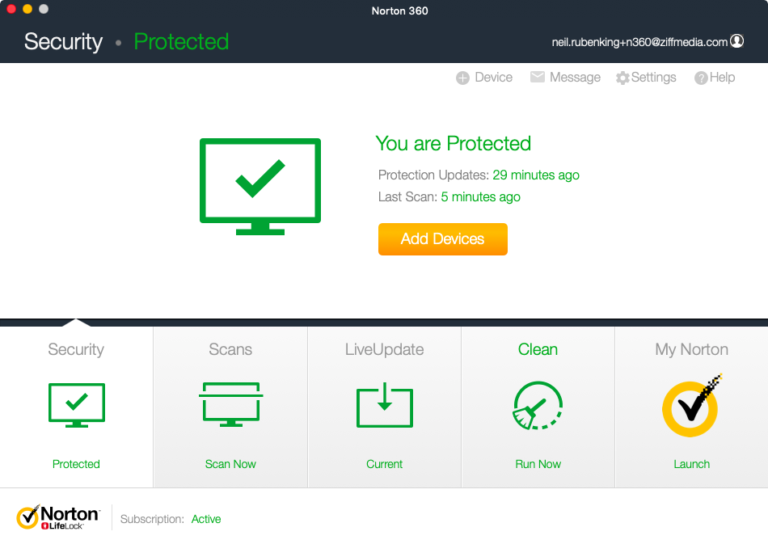
Norton 360 Deluxe combines Mac antivirus, web protection, Smart Firewall, Secure VPN, Password Manager and Dark Web Monitoring in a subscription for five compatible devices. It is a capable cross-platform bundle, but two heavily promoted features—50 GB Cloud Backup and Parental Control—are not supported on macOS.
That platform distinction defines the value of Deluxe for a Mac owner. Norton’s malware protection has an excellent current laboratory record, while the VPN and account services can replace separate subscriptions. The package is less compelling when its Windows-only backup and family tools were part of the buying decision.
Installation and permissions
The original hands-on installation was straightforward. Norton required a helper component, a restart, LiveUpdate and approval of macOS privacy permissions. Current macOS releases may also require login-item, system-extension and Full Disk Access approval before every protection layer becomes active.
Do not run two real-time antivirus products together. Their system extensions can compete for the same files and create instability or misleading alerts. After installation, open Norton and verify that device security, web protection and Smart Firewall report an active state.
Antivirus protection
Norton provides real-time monitoring, manual scans and automatic security updates. Its job is to block known malware as well as suspicious behaviour before a file can cause damage. Safe Web adds warnings for dangerous downloads, links and phishing pages in supported browsers.
The earlier Mac test found background impact modest, with more noticeable activity during a full scan. That remains a historical observation rather than a performance measurement of version 26.6. Scheduling demanding scans outside working hours can still be useful on an older Mac.
Independent Mac test
AV-TEST evaluated Norton 360 26.6 on macOS Tahoe 26.5.1 in June 2026. Norton received 6 out of 6 for protection, performance and usability. It detected 100% of the widespread and prevalent Mac malware in the reference set, produced no false warnings in the usability tests and achieved a total score of 18 out of 18.
The measured slowdowns varied by task, but the overall performance score remained perfect. This is unusually clear current evidence for the Mac version. It applies to the tested release and sample set; it does not test VPN privacy, Password Manager, Dark Web Monitoring or every future threat.
Smart Firewall
Norton Smart Firewall supplements macOS network protections by monitoring connections and recognising trusted or risky networks. It can help stop unwanted incoming traffic and suspicious application communication. Norton currently supports Smart Firewall on macOS 11 and later.
A firewall decision still needs context. Automatically approving every prompt defeats the purpose, while blocking an essential service can prevent an application from working. Most users should begin with Norton’s automatic rules and investigate unfamiliar processes before creating exceptions.
Secure VPN
Secure VPN encrypts traffic between the device and a Norton VPN server. In the original test, connections in the Netherlands were stable and the speed loss was modest. The controls were less direct than a dedicated VPN because reaching the full interface took extra clicks.
A VPN protects traffic on an untrusted network and reduces what the local internet provider can see. It does not provide complete anonymity, stop tracking inside accounts that are already signed in or make an unsafe website trustworthy. Server availability and streaming access can also change after the date of a review.
Password Manager
Norton Password Manager generates, stores and autofills unique credentials. Setup relies partly on the browser and Norton account rather than living entirely inside the security application. The earlier test found the service useful once configured, although navigation between the application and web interface was initially less obvious.
It is a worthwhile inclusion for someone moving away from reused passwords. Users with an existing password manager should compare passkeys, sharing, emergency access, recovery and export options before migrating. A bundled tool is not automatically the best place for a long-term vault.
Dark Web Monitoring
Dark Web Monitoring can alert the subscriber when selected personal details appear in known breach data. An alert is a prompt to change affected passwords, enable multifactor authentication and check the associated account. It does not remove leaked information or prove that an identity has already been misused.
Coverage depends on the information entered and the plan’s regional terms. Avoid interpreting the absence of an alert as proof that an email address or password has never leaked.
Cloud Backup is PC-only
Norton advertises 50 GB Cloud Backup with Deluxe, but Norton explicitly states that Cloud Backup is not supported on macOS. The old review correctly identified this after an unsuccessful attempt to activate it on an iMac. The current product page now marks the feature as PC-only.
Mac owners therefore need a separate backup plan. Time Machine is a sensible local foundation, but important data should also have another independent or off-site copy. Periodic restore checks matter more than the storage figure printed on a security bundle.
Parental Control and other platform limits
Norton Family and Norton Parental Control are also not supported on macOS. SafeCam is another platform-specific feature. A Deluxe licence may make these tools available on supported Windows or mobile devices, but they should not be counted as Mac features.
This is the largest weakness in the product presentation. The headline feature list describes a five-device subscription, while footnotes determine what any particular device receives. A mixed-device family may still benefit; a Mac-only household should value the subscription using only its supported Mac functions.
Compatibility
Norton lists support from macOS 10.13 High Sierra through macOS 27 Golden Gate. Version 26.8 or later is required for Golden Gate. The current application supports Intel and Apple-silicon Macs, needs 2 GB of memory, 300 MB of free storage and an internet connection for LiveUpdate.
The integrated VPN also supports macOS 10.13 or later, while Smart Firewall starts at macOS 11. Run LiveUpdate before a major macOS upgrade. Compatibility can require a newer Norton build even when the existing installation appears to launch.
Subscription and renewal
Norton 360 Deluxe covers five PCs, Macs, phones or tablets. The Dutch store currently separates the discounted introductory price from a higher annual renewal price. Norton’s renewal-price page lists the standard Deluxe renewal amount independently, which is the more useful figure for a long-term comparison.
Automatic renewal can be managed through the Norton account. Check the first-term length, later annual charge, device limit and refund conditions before buying. A bundle saves money only when its supported services replace tools the household would otherwise purchase.
Pros
- Excellent 18/18 AV-TEST score for Norton 360 26.6 on macOS Tahoe.
- Protects five compatible devices across several platforms.
- Includes unlimited Secure VPN, Password Manager and Dark Web Monitoring.
- Smart Firewall adds readable network protection on current macOS versions.
- Earlier hands-on test found background impact modest and VPN performance strong.
- Supports both Intel and Apple-silicon Macs.
Cons
- Cloud Backup is not available on the Mac.
- Norton Family and Parental Control are not supported on macOS.
- Headline feature lists require careful reading of platform footnotes.
- The renewal price is substantially higher than common introductory offers.
- Some controls move between the Mac application, browser and Norton account.
- The latest release was not independently retested for this editorial update.
Verdict
Norton 360 Deluxe is one of the easier Mac security bundles to recommend on protection evidence. Norton 360 26.6 earned full marks in AV-TEST’s June 2026 Mac evaluation, and the earlier hands-on test supports its low everyday impact and usable VPN. Antivirus, Smart Firewall, web protection and account tools make a coherent core.
The package is not identical across its five covered devices. Mac users receive no Norton Cloud Backup or Parental Control, so those advertised extras must not inflate the value calculation. Deluxe works best for a mixed-device household that will use the VPN and password service. Mac-only buyers should compare its renewal cost with simpler products that provide the same core protection.
0 Comments