Avast Ultimate review
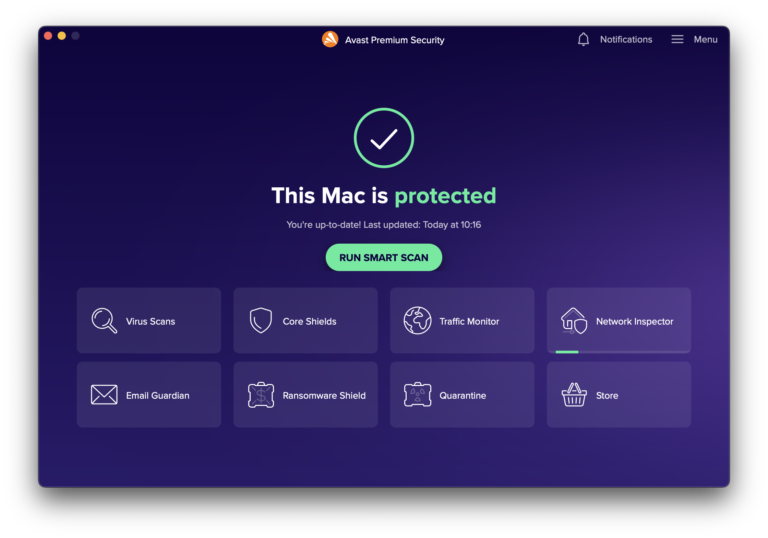
Avast Ultimate for Mac combines four separate products in one subscription: Premium Security, SecureLine VPN, Cleanup Premium and AntiTrack. That makes it broader than a conventional antivirus package. It can protect the Mac against malware and phishing, encrypt network traffic, reduce online tracking and remove selected clutter, but the bundle also brings four sets of controls and permissions.
This review retains the observations and screenshots from the version originally tested and updates the product information for September 2026. The key question is whether the combined tools make daily Mac use safer and easier, or whether a smaller security package would be sufficient.
Installing the bundle
Avast Ultimate is a subscription rather than one single application. On the Mac, the bundle includes Avast Premium Security, Avast Cleanup Premium, Avast SecureLine VPN and Avast AntiTrack. Each component must be installed and activated, so initial setup takes longer than installing a standalone antivirus.
Premium Security needs Full Disk Access and approval for its security components before real-time scanning can inspect the entire Mac. SecureLine VPN adds a VPN configuration, while AntiTrack needs browser access to limit tracking. These requests are understandable for the functions involved, but Avast should explain each permission clearly. Check the main dashboard after setup to confirm that every intended protection layer is active.
In the original test, downloading Premium Security and activating the Ultimate licence was straightforward, but completing the bundle was less direct than installing Bitdefender as a single security application. The remaining products still had to be installed and activated separately. That practical distinction remains relevant: Ultimate is sold as one subscription, not presented on the Mac as one completely unified application.
Premium Security in daily use
Premium Security is the core of the bundle. Real-time shields monitor files and web activity, while manual scans provide a second check for downloads, archives and external drives. The app is most useful when it stays quiet and blocks a genuine threat; frequent warnings that merely advertise other Avast products reduce confidence and deserve attention in the notification settings.
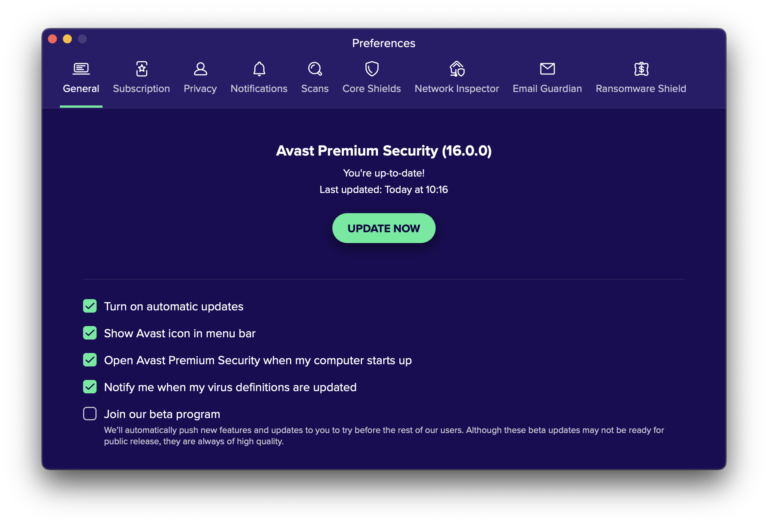
The tested interface was clean and approachable, with useful preferences for the separate protection modules. That made the basic scan and shield controls easy to find, but it did not remove the need to move between the other Ultimate applications for VPN, tracking and cleanup work. Advanced users should review the shield and notification settings instead of assuming that the defaults match every workflow.
Avast’s current product line also promotes AI-assisted scam guidance. This can help assess suspicious messages or offers, but it should be treated as supporting advice rather than proof that a message is safe. A convincing phishing page can still exploit urgency, reused passwords or an inattentive approval.
SecureLine VPN
SecureLine VPN encrypts traffic between the Mac and an Avast VPN server. It is most useful on an untrusted network, such as public Wi-Fi, and can also reduce what the local internet provider sees. It does not make a browser anonymous and cannot protect information voluntarily entered into a fraudulent website.
The app is easy to connect and offers a choice of server locations. Users who already subscribe to another trusted VPN should calculate whether Ultimate still offers enough value, because overlapping services are one of the easiest ways to overpay for a security bundle.
AntiTrack and Cleanup Premium
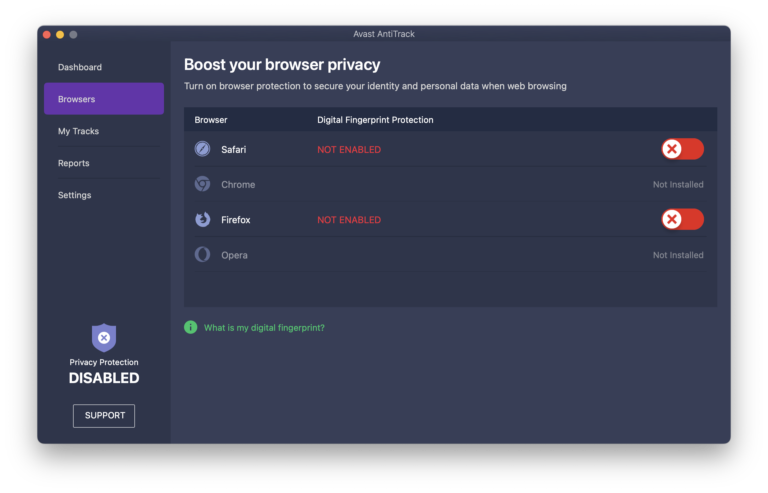
AntiTrack aims to reduce profiling by advertisers and other tracking services. It can disguise selected browser characteristics and clear tracking data, but aggressive protection may occasionally interfere with a website. When that happens, test the site with protection temporarily relaxed instead of disabling the entire product.
Cleanup Premium searches for caches, leftover files and other material that may be removable. It can save time, but every proposed deletion deserves review. Caches are often recreated automatically and a large number in a results screen does not automatically mean that removing everything will make the Mac noticeably faster.
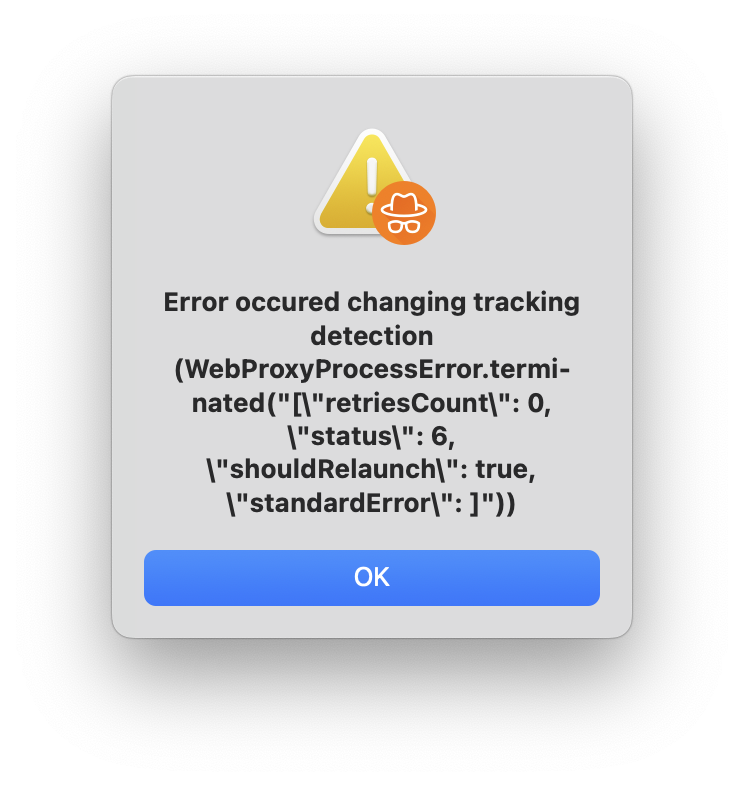
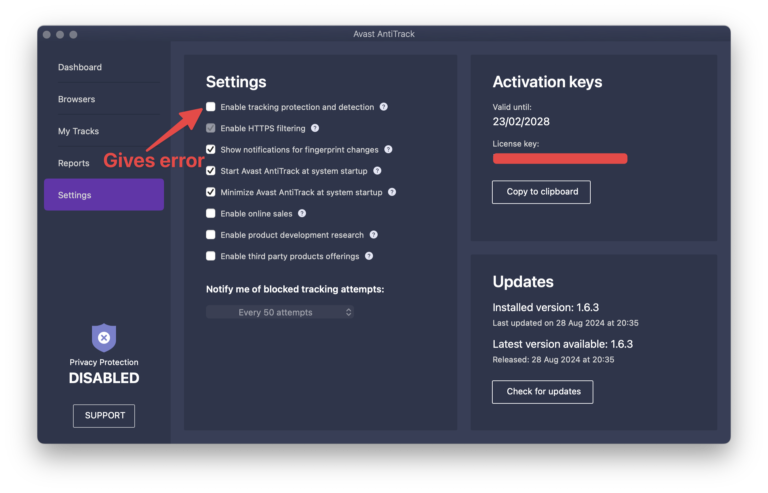
Important historical test note: on the macOS Sequoia 15.3 system used for the original review, AntiTrack would not complete its integration and repeatedly showed an activation error. The screenshots above document that experience. It would be misleading to present the fault as proven in the current release without retesting it, but it was a serious limitation of the paid bundle at the time. Anyone considering Ultimate specifically for AntiTrack should verify activation during the refund or trial period on the exact macOS and browser combination they use.
Compatibility and performance
Avast’s September 2026 documentation lists Premium Security 16.x for Mac and support from macOS 10.13 High Sierra through macOS Tahoe 26. It supports 64-bit Intel Macs and Apple silicon. Avast One 26.x has a different support range: its current Mac version starts at macOS 10.14 Mojave, while the previous release remains available for High Sierra. This distinction matters because Avast’s product pages sometimes discuss Ultimate and Avast One together.
AV-TEST evaluated Avast Security 16.3 on macOS Tahoe 26.3 in March 2026. It received 6 out of 6 for protection, performance and usability. This is a strong current laboratory result, although it evaluates the security component rather than every utility included with Ultimate.
The original article described Avast as generally lightweight but noted that a full scan could temporarily slow the Mac. That remains an observation from the earlier test, not a 2026 benchmark. AV-TEST’s performance score is more current, but it should likewise be read as a dated result for its controlled test set rather than a guarantee for every Mac, disk or workload.
Subscription and value
Avast sells single-device and multi-device subscriptions. The multi-device option can cover up to ten Windows, Mac, Android and iOS devices, but available functions differ by platform. Introductory prices are often much lower than renewal prices, so the renewal amount is the useful figure when comparing long-term cost.
Ultimate makes the most sense when you need at least three of its four components. If the main requirement is malware protection, Premium Security alone is easier to manage. If you already have a VPN or prefer the privacy tools built into Safari and macOS, compare the separate products before choosing the bundle.
Pros
- Combines malware protection, VPN, anti-tracking and cleanup tools.
- Strong March 2026 independent test result for Avast Security 16.3.
- Supports Intel and Apple-silicon Macs.
- Multi-device plan can cover up to ten devices across major platforms.
- Scan and VPN controls are easy to understand after setup.
Cons
- Four separate components make installation and management less simple.
- AntiTrack failed to activate on the Sequoia 15.3 Mac used for the original test; the current release was not retested.
- Some features and system requirements differ between Avast applications and platforms.
- Cleanup recommendations require judgment and do not guarantee a faster Mac.
- Promotional notifications can feel intrusive.
- Renewal pricing can be considerably higher than the introductory offer.
Verdict
Avast Ultimate is a capable package for a household that wants antivirus, VPN and privacy tools under one subscription. Its current Mac protection has a strong independent test record and the individual apps are approachable. The bundle is less attractive for users who only need antivirus protection or already pay for a VPN. Judge it by the components you will actually use and by the renewal cost, rather than by the number of features on the sales page.
0 Comments