McAfee Total Protection review
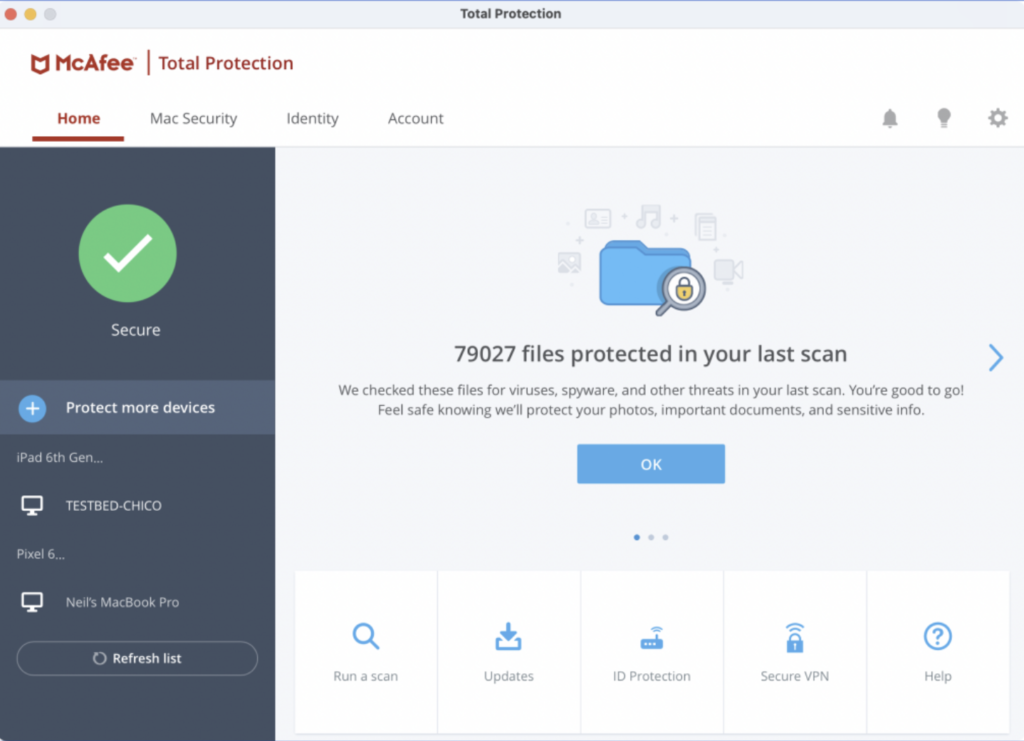
McAfee Total Protection combines antivirus, web protection, a VPN, identity monitoring and password management in one subscription. That is a broad package, but the name can create the wrong expectation on a Mac. McAfee advertises one cross-platform service while several utilities and controls remain Windows-only or work differently on macOS.
The useful question is therefore not how many features appear in the comparison table. It is whether the Mac protection, device allowance and privacy services match the household, and whether the renewal price remains competitive after the introductory term.
Plans and device coverage
McAfee’s Dutch product range currently includes Total Protection Basic and Essential alongside McAfee+ Premium and Advanced plans. Basic covers one device, Essential covers five, and the more expensive McAfee+ plans advertise unlimited compatible devices. Family versions can extend identity features to several household members.
The precise mix varies by country and promotion. Antivirus, web protection, Secure VPN, identity monitoring and the password manager form the core. Higher plans add broader identity-recovery and privacy services. Read the checkout summary for the number of users as well as the number of devices: unlimited devices for one account is not the same as separate identity protection for a family.
Installation and Mac permissions
Installing the Mac application is straightforward, but effective protection requires approval for the system extensions and privacy permissions requested by macOS. Full Disk Access allows the scanner to inspect protected locations. Browser protection may require a separate extension. A restart or additional approval can be necessary after an operating-system update.
The earlier hands-on test found the interface clear and the setup understandable. That remains useful historical evidence, not a test of the current build. After installation, check that real-time scanning and web protection are actually active rather than assuming that a completed installer enabled every layer.
Antivirus and scans
McAfee provides real-time malware monitoring plus manual scans. The earlier Mac test allowed several internal or external locations to be added to a custom scan. Resource use remained reasonable during normal work, while a full scan naturally caused more disk and processor activity.
The former interface showed a file counter but gave less useful progress information than a clear estimate of work remaining. That is a usability observation from the tested version. Detection quality cannot be established by running a few harmless samples, so current independent Mac laboratory evidence matters more than marketing claims.
Web and scam protection
Web protection warns about risky links, downloads and known phishing sites. McAfee also promotes scam detection for suspicious messages and increasingly convincing AI-generated fraud. These warnings are valuable when they interrupt an impulsive click, but they do not prove that an unflagged message is genuine.
Browser coverage depends on the supported browser and extension. Safari, Chrome, Firefox and Chromium-based Edge are listed in McAfee’s requirements, but individual functions may differ. Keep the browser and extension current, and verify unexpected payment or account requests through a separate trusted channel.
Secure VPN
Secure VPN encrypts traffic between the Mac and a McAfee VPN server. It is useful on public Wi-Fi and limits what the local network or internet provider can observe. It does not make browsing anonymous, remove tracking from accounts that are already signed in or prevent information being entered into a fraudulent site.
The old article tied VPN access too broadly to automatic renewal. McAfee’s current plan pages include Secure VPN in the compared subscriptions, while some additional promises and service conditions still depend on eligibility or automatic renewal. The offer shown at checkout is the authoritative source for a particular purchase.
Password and identity tools
The included password manager can generate, store and autofill unique passwords. It is a practical improvement over password reuse, although users with an established independent manager may gain little from moving. Before switching, compare passkey support, emergency access, sharing, export options and the recovery model.
Identity monitoring looks for selected personal details in known breach data and can issue alerts. It cannot stop a breach or remove every leaked record. Recovery assistance and wallet support also vary by plan and region, so these services should be judged by their conditions rather than by the word “identity” alone.
Mac and Windows are not identical
The old review described optimisation tools, a data shredder, advanced firewall controls and parental features as if the complete Windows set applied to the Mac. McAfee itself warns that feature availability varies by operating system. A household licence may include these functions somewhere in the subscription without providing the same tools on macOS.
This distinction is especially important when comparing bundles. Buy the Mac version for its antivirus, web, VPN and account services. Treat any Windows-only cleanup, shredding or network controls as benefits for other covered computers, not as reasons to choose it for one Mac.
Compatibility
McAfee currently lists build 4.23 or later for macOS 13 and newer. The general requirements are 2 GB of memory, 1.3 GB of free storage, a 1 GHz processor and an internet connection. McAfee lists Intel and ARM64 architectures, with Rosetta 2 required in its Mac architecture note.
These requirements exclude Macs that cannot move beyond macOS 12. Check the exact current support page before buying for an older machine, and do not remove working protection until the replacement has installed successfully and reports that all intended safeguards are active.
Independent test evidence
McAfee is not included in AV-TEST’s recent consumer antivirus groups for macOS Sequoia or macOS Tahoe. The laboratory publishes strong current results for McAfee Total Protection on Windows, but those results cannot be transferred directly to the Mac engine. AV-TEST’s latest McAfee Mac certificate listed in its manufacturer archive concerns an enterprise product from 2019, not the current consumer application.
This does not prove that the Mac product performs poorly. It means there is less recent independent public evidence for a Mac buying decision than there is for several competitors tested in March and June 2026.
Renewal and value
McAfee commonly advertises a substantial discount for the first term. The Dutch store also shows a higher reference or renewal price. Automatic renewal charges the stored payment method before the next term, while it can be disabled in the account. Some benefits, including the Virus Protection Pledge, require an eligible subscription with automatic renewal.
Compare the amount payable today, the length of that first term and the following annual price. Total Protection is strongest value for a mixed-device household that will use its VPN and account services. For one Mac, a simpler antivirus or an existing password-manager and VPN combination may cost less and create fewer overlapping applications.
Pros
- Combines Mac antivirus, web protection, VPN and account tools.
- Supports mixed Windows, macOS, Android, iOS and ChromeOS households.
- Earlier hands-on test found normal use responsive and custom scan locations flexible.
- Clear account-based installation across several devices.
- Identity monitoring and password management can reduce reliance on separate services.
- Thirty-day refund policy provides time to check compatibility and permissions.
Cons
- Recent independent consumer test results for the Mac version are lacking.
- Product pages can blur important differences between Mac and Windows features.
- Introductory pricing can be much lower than the later renewal price.
- Some guarantees and service conditions depend on automatic renewal or region.
- Current builds require macOS 13 or later.
- The current release was not independently retested for this update.
Verdict
McAfee Total Protection is most convincing as a cross-platform household subscription. Its Mac application covers the essentials and the shared VPN, password and identity services can simplify a collection of separate subscriptions. The earlier hands-on experience also supports its reputation for an approachable interface and manageable everyday impact.
It is harder to recommend solely on Mac antivirus performance because recent public laboratory evidence for the consumer Mac product is missing. Buyers should also ignore Windows-only extras when calculating value and compare the renewal price, not the temporary discount. For a family with varied devices McAfee remains practical; for a single Mac, competitors with current independent Mac test results provide a clearer evidence base.
0 Comments