iMyFone D-Back review
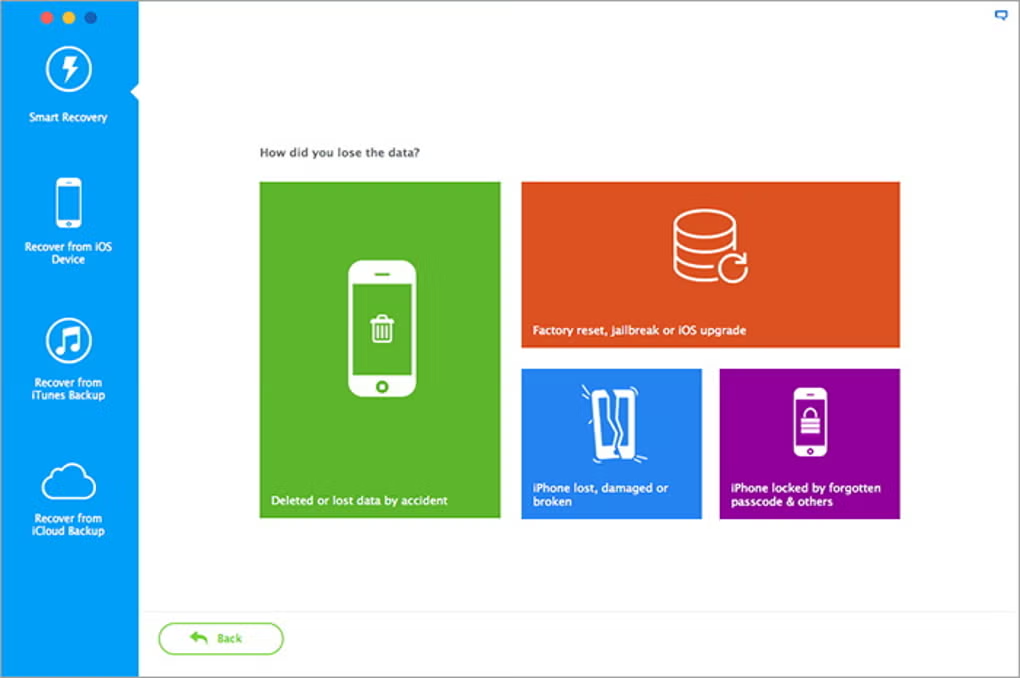
What is iMyFone D-Back?
iMyFone has broadened D-Back into a recovery suite for phones and computers, but this review concerns D-Back Hard Drive Recovery for Mac. It scans internal and external storage for deleted or inaccessible documents, photos, video, audio, email and archives. The Mac product claims support for more than 1,000 file formats and for APFS, HFS+, HFSX, exFAT, NTFS, FAT16 and FAT32.
Supported sources include Mac hard drives, SSDs, USB drives, SD and CF cards, cameras and other removable storage. The software is intended for logical data loss: accidental deletion, emptied Trash, formatting, a lost partition or a damaged file system. A drive with mechanical failure, repeated disconnects or no presence in Disk Utility needs a specialist rather than repeated scanning.
Interface and workflow
The version tested for the original review had a clean, direct interface. Locations such as Trash, Desktop and individual folders were visible up front, so a targeted scan could avoid reading an entire disk. That was useful when the original location of a deleted file was known.
The basic process remains familiar: choose the source, scan, filter or preview the results and recover selected files to another drive. The interface supplies enough guidance for non-technical users without burying the main action under preferences.
Our original experience
In the original hands-on use, D-Back scanned quickly and made it easy to choose a specific location. The uncomplicated layout was one of its strengths. We found the utility responsive and practical for ordinary recovery work.
Those observations belong to the tested release and hardware. They should not be read as a current speed benchmark or a guarantee of recovery. iMyFone itself states that it cannot promise a specific file will be recoverable because results depend on the source, overwriting and file condition.
Scanning and previews
A file-system scan can restore original names and folders when enough directory information survives. A deeper or RAW scan searches for known file signatures across the device. This can find data after formatting or directory damage, but reconstructed files may receive generic names and lose their original folder structure.
Previewing results before purchase is therefore important. Check several of the exact photos, documents or videos you need—not merely filenames. A preview is positive evidence, although large or fragmented files may still be incomplete.
The current support page says the free trial can scan and preview files and recover eight files. Another iMyFone product page advertises a 100 MB free limit. Because these official pages conflict, buyers should check the allowance shown inside the downloaded Mac app before relying on a free-recovery quantity.
Deleted data, SSDs and TRIM
On a conventional hard drive, deleting a file normally removes its directory reference before the underlying blocks are reused. Recovery software may reconstruct it while those blocks remain intact. Continued use of the source increases the chance of overwriting.
Modern SSDs are less predictable. TRIM allows deleted blocks to be cleared by the drive, and recovery may quickly become impossible. Stop using the affected disk, do not install D-Back on it and do not recover files back onto it. Use a separate external disk for both the application when possible and all recovered data.
File systems and Mac compatibility
iMyFone’s dedicated Mac page lists APFS, HFS+, HFSX, exFAT, NTFS, FAT16 and FAT32. It also lists Intel-era hardware requirements and macOS 10.10 through macOS 11, which is clearly older than Apple’s current releases. Other regional iMyFone technical pages list compatibility through macOS 15.
That inconsistent documentation matters. The main D-Back suite now promotes broad Mac support, but iMyFone does not present one clear, current Apple-silicon and macOS 27 specification on the Mac hard-drive page. Owners of an M-series Mac or macOS Golden Gate should verify installation and source visibility with the free download before paying.
Permissions and startup-disk recovery
Data recovery requires access that an ordinary app does not need. macOS may request permission for removable volumes or Full Disk Access. Grant only what the scan requires and download the installer from iMyFone’s official site.
The old article advised disabling System Integrity Protection as a general step. That advice is too broad and has been removed. Do not reduce macOS security unless current, model-specific instructions from the developer explicitly require it for the recovery scenario. Start with the least invasive route, particularly when scanning an external disk.
Photo and video repair
The current Mac page includes damaged-photo and video repair alongside recovery. It describes fragment matching and repair for formats including MP4, MOV, MKV, MTS, FLV and M4V. This may help when a recovered media file is present but will not play.
Repair cannot recreate overwritten content, and a playable result may still contain missing frames or artefacts. Keep the untouched recovered copy and work on a duplicate so another repair method remains possible.
Pricing and licensing
iMyFone’s current D-Back store presents a combined suite rather than the old Mac-only one-PC prices. At the time of this update it lists a $49.99 one-month plan for three devices and two computers, a $69.99 one-year plan with the same allowance, and a $79.99 lifetime plan for five devices and three computers. The monthly and annual options renew automatically; taxes may be added.
Promotional prices and bundle contents can change. Confirm that the checkout explicitly covers Mac hard-drive recovery, note the renewal date and read the refund conditions. A money-back label is not a substitute for proving that the trial can see the files you need.
Pros
- Clear, beginner-friendly recovery workflow.
- The original test showed fast scanning and useful location selection.
- Broad device, file-format and file-system coverage.
- Preview plus optional photo and video repair.
Cons
- Official Mac compatibility information is inconsistent and dated.
- Recovery success can never be guaranteed.
- Official pages disagree about the free recovery allowance.
- Subscription plans renew automatically.
Verdict
D-Back remains approachable and, in our original use, performed quickly with a sensible interface. Its support for common Mac file systems, removable storage and selective preview makes it a plausible first scan for logical data loss.
The weak point in 2026 is documentation: current Mac and Apple-silicon compatibility is not stated consistently across iMyFone’s own pages, and even the free allowance varies by page. Test the downloaded build on the affected Mac, preview the actual files and confirm the licence shown at checkout before buying. For physical failure or irreplaceable data, stop and use a professional service.
D-Back for Mac · Official Mac support FAQ · Current D-Back plans
0 Comments