ChronoSync review
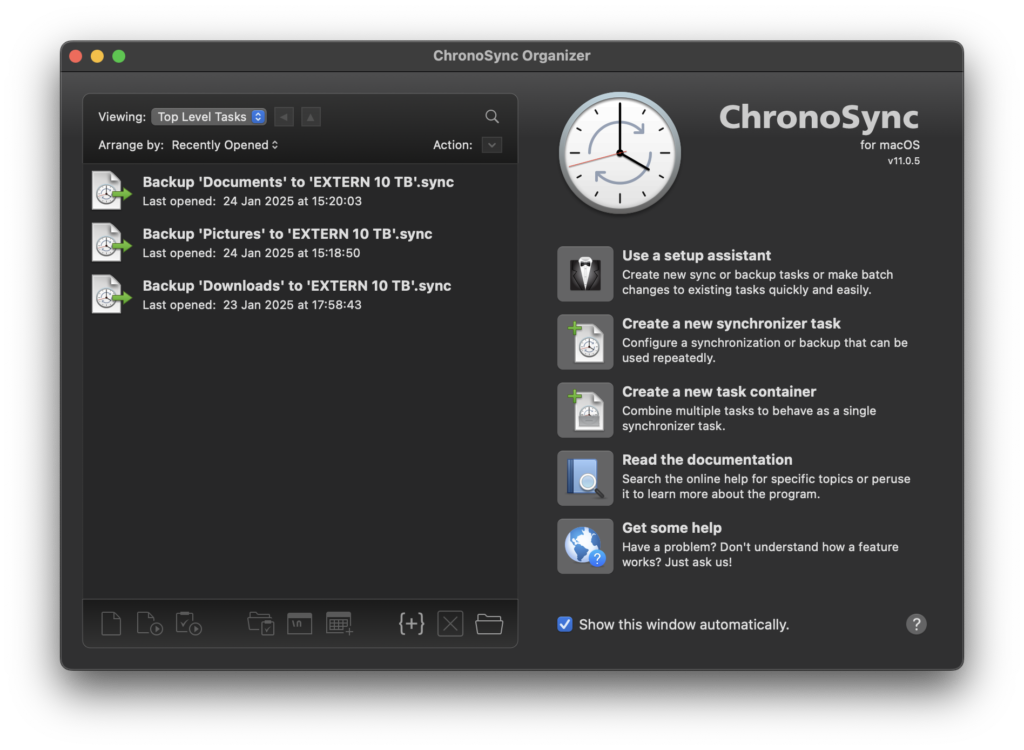
ChronoSync for Mac
ChronoSync combines file backup, folder synchronisation and task automation in one Mac application. That sounds straightforward, but the distinction between those jobs matters. A one-way backup protects a source folder by copying its contents to another disk or network location. A two-way synchronisation keeps two locations aligned, which can also propagate deletions. ChronoSync can perform either job, but it is the user who must choose the right operation and retention rules.
This flexibility is ChronoSync’s main attraction. A single installation can maintain a working folder on two Macs, copy a photo archive to external storage, preserve older file versions in an archive, or send data to another Mac running ChronoAgent. It is more configurable than a basic backup utility, and that also means the first task deserves a careful setup rather than a quick click-through.
Creating a backup or synchronisation task
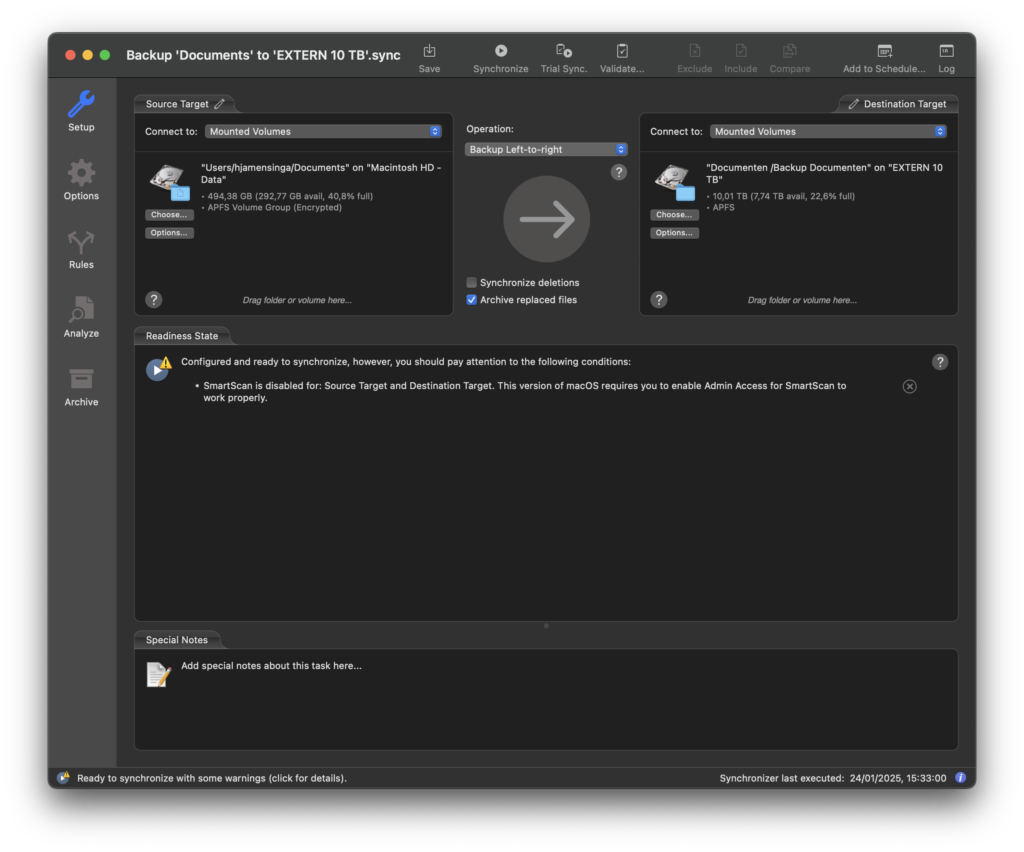
A task starts with two targets: the source and destination. You then choose whether files should travel in one direction or both directions, and define how additions, changes and deletions are handled. Filters can exclude temporary files or selected folders. The analyser shows what ChronoSync intends to copy or remove before the task runs, which is particularly useful when configuring a two-way sync for the first time.
For an ordinary safety copy, a one-way backup with archiving is the safer starting point. Archiving retains replaced or deleted items instead of immediately making the destination identical to the source. A mirror or exact synchronisation has a different purpose: it deliberately makes both sides match and can therefore remove files from the destination. ChronoSync explains these choices, but the terminology rewards a little patience.
Scheduling and automation in version 12
Scheduling is one of ChronoSync’s strongest areas. Tasks can run at a fixed time, when a volume is mounted, after another task, or in response to supported events. Version 12 expanded this system with time- and event-based scheduling, remote ChronoAgent triggers and the option to validate data on a schedule. A Mac can be woken for a task when the system and power settings allow it, while completion notifications and logs make unattended jobs easier to monitor.
This is useful for external disks that are not permanently connected. Instead of relying on memory, a backup can start when its destination appears. For important data, we would still combine this with an occasional manual check: open the destination, restore a sample file and confirm that archived versions are available. A green completion message proves that a task ran; a restore test proves that the backup is useful.
Synchronisation, validation and recovery
ChronoSync 12 uses a two-pass synchronisation process for supported tasks. It first evaluates changes and then performs the required operations, helping the application deal with large or changing file sets more predictably. Scheduled validation can compare stored data and identify differences or corruption that an ordinary copy job may not reveal.
Recovery depends on the way the task was configured. Files in a normal backup destination can be copied back, while an archive preserves earlier or deleted versions for selective recovery. This is another reason not to treat every synchronisation as a backup. If deletions are mirrored and no archive is enabled, a mistake can be reproduced on both sides.
Remote Macs, NAS storage and cloud folders
ChronoAgent extends ChronoSync to another Mac over a network. It lets the main application access that computer’s files with more control than a basic shared folder and supports remote task triggers in the current generation. This is practical for a household or small office that wants one Mac to coordinate backups from another.
Network shares and NAS devices can also serve as destinations. Cloud services work when their storage is presented to macOS as an accessible location, but behaviour depends on the service’s File Provider implementation. Version 12 includes improvements for iCloud and File Provider locations; files that exist only as online placeholders may still need to be downloaded before a complete local backup can be made. Users should verify that the destination contains real file data rather than assuming that a synchronised cloud view is an independent backup.
About bootable copies on modern macOS
Older Mac backup workflows often promised a complete clone from which the computer could start immediately. Modern macOS uses a signed and sealed system volume, and Apple’s recovery design now expects the operating system to be installed or restored separately from user data. ChronoSync can duplicate suitable volumes and protect data, but buyers should not assume that every current Mac and macOS combination will produce the same instantly bootable clone familiar from older systems.
A realistic recovery plan is to keep verified copies of personal data, preserve installers and account details, and know how to use macOS Recovery or Migration Assistant. If a bootable duplicate is essential to your workflow, test it on the exact Mac, storage device and macOS release you intend to use.
Performance and everyday use
In our earlier use, the interface made the selected source and destination clear and offered enough detail to understand a task before running it. Subsequent jobs can copy only changed data, so they are normally shorter than the first pass. Actual speed depends heavily on the connection, the number of small files, encryption, network conditions and destination storage. We therefore do not apply old comparative speed claims to the current release without a new controlled test.
The basic workflow is approachable, but advanced rules, bidirectional synchronisation and remote targets introduce a learning curve. ChronoSync is best suited to someone who values control and is willing to read the task summary. Users who only need a simple copy to one external disk may find a more focused backup utility easier.
Pricing and licence model
ChronoSync is sold as a Mac licence rather than as a storage subscription, and Econ Technologies advertises lifetime free updates for the product. ChronoAgent and multi-user requirements can change the total cost, so check the current store for the appropriate licence before buying. A trial is available for evaluating the interface and testing a complete backup-and-restore cycle with your own storage.
Pros
- Combines one-way backup, two-way synchronisation, archiving and scheduling.
- Detailed analyser and rules provide control before files are changed.
- Strong automation, including volume and event triggers.
- Supports external disks, network storage and remote Macs through ChronoAgent.
- Current development continues for Intel and Apple-silicon Macs.
- Lifetime free product updates are advertised by the developer.
Cons
- Advanced tasks require more setup and understanding than a one-click backup.
- A poorly configured two-way sync can propagate unwanted deletions.
- Cloud and File Provider locations need careful verification of locally available data.
- Modern macOS limits the old promise of a universally bootable clone.
- ChronoAgent or broader licensing can add cost to a multi-Mac setup.
Verdict
ChronoSync remains a capable choice for Mac users who need more than a basic backup button. Its value lies in combining precise file handling with flexible scheduling and remote targets. Version 12 strengthens that proposition with improved automation, two-pass synchronisation, validation scheduling and better handling of modern cloud-backed locations.
The application is most convincing when each task has a clearly defined purpose: backup, synchronisation or archive. Configure deletion behaviour carefully, keep at least one independent copy of important data, and test a restore. Used that way, ChronoSync can form a dependable part of a Mac backup strategy without pretending that synchronisation alone is data protection.
0 Comments